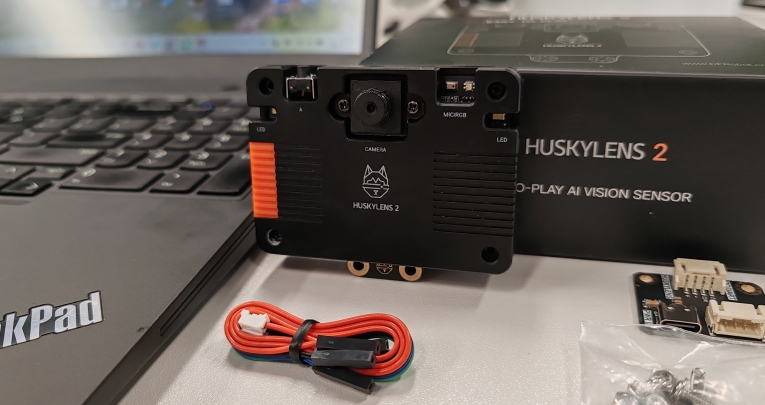


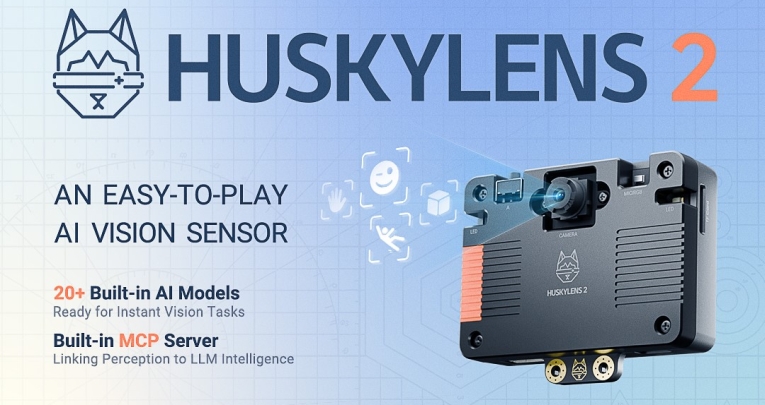
The HuskyLens 2 AI vision sensor represents a breakthrough in embedded AI education and creative projects, but what does this translate to in the classroom?
Here, its creators tell us how the device has been upgraded from its predecessor, discuss its educational applications, and even share a creative project to try.
What makes HuskyLens 2 different from the previous version?
HuskyLens 2 is a major leap forward from the original model, offering both more power and a much more approachable learning experience.
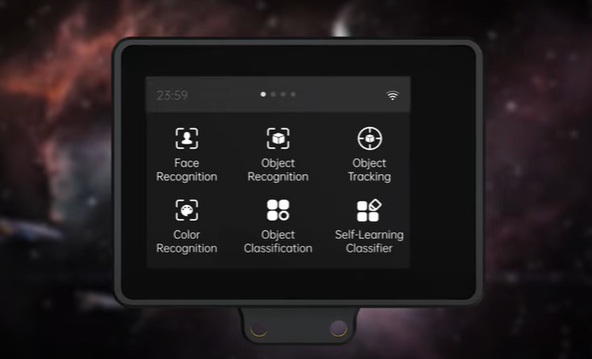
It uses the advanced Kendryte K230 processor for faster and smarter AI performance, and comes with over 20 built-in recognisers – including face recognition, object detection, and facial emotion recognition – that can be used right away, with no complicated setup.
For the first time, users can train their own models and upload them directly to the device, following the complete AI project process: data collection, labelling, training, exporting, and deployment. This new flexibility allows students to try out their own ideas, rather than being limited to pre-set demos.
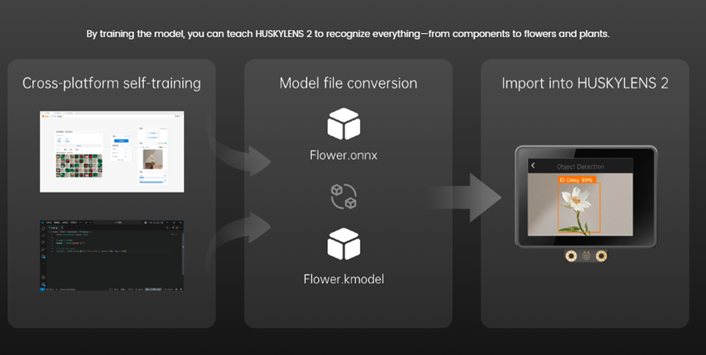
And that’s not all. Previous limitations with AI processing power, image handling, storage, and machine learning capabilities are addressed. HuskyLens 2 adds advanced features like model parallelism, built-in Model Configuration Platform (MCP), and supports custom training and model deployment, dramatically expanding what’s possible in hands-on AI learning.
How can teachers incorporate HuskyLens 2 into everyday lessons?
HuskyLens 2 makes abstract concepts of artificial intelligence visible and experiential. It allows teachers and students to intuitively understand the basic principles of AI.
With HuskyLens 2, educators can quickly demonstrate and let students experience functions like face recognition, gesture recognition, and self-learning classification – all without mastering complex coding.
This tool turns the classroom into a lively AI lab and can be easily integrated into STEM, science, technology, or interdisciplinary projects.
What skills can students learn while using HuskyLens 2?
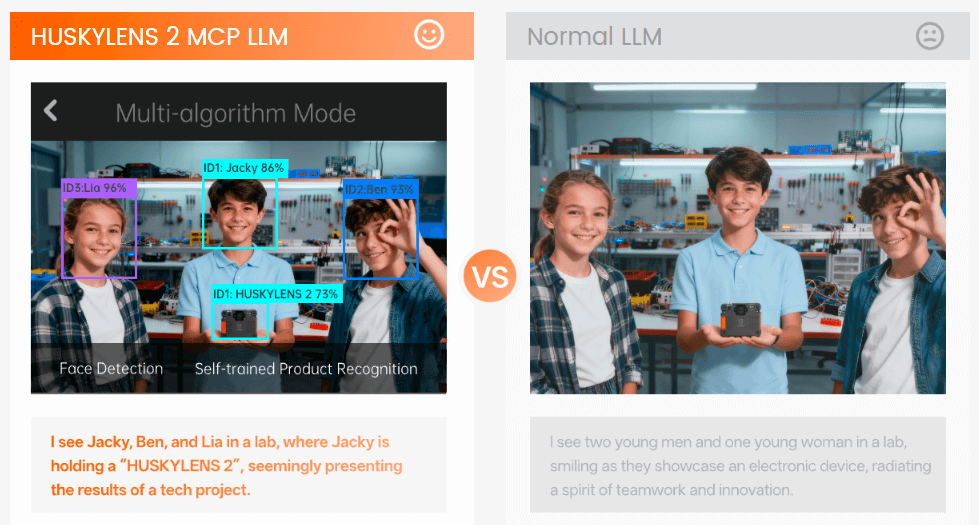
Using HuskyLens 2, students see real-time confidence scores when identifying objects, helping them understand how sample data quantity impacts recognition accuracy. The interactive touchscreen adjustment of thresholds allows them to directly observe the reasoning and logic behind AI decisions – for example, how changes in the threshold affect the strictness or flexibility of identification outcomes.
Furthermore, HuskyLens 2 supports the deployment of self-trained models. Students can go through the full AI project cycle: capturing data, labelling, training, exporting the model, and deploying it.
This not only deepens their understanding of AI, but also cultivates practical skills in independently completing AI projects from start to finish.
“HuskyLens 2 makes abstract concepts of artificial intelligence visible and experiential.”
Are there resources or training materials available for educators?
Yes! Detailed product documentation is available, including a comprehensive wiki that explains how to use HuskyLens 2, realise its main functions, and more. This resource covers everything from hardware setup to advanced custom model deployment.
These materials are ideal for teachers preparing lessons or experimenting with HuskyLens 2’s capabilities.
Can you give an example project that schools can try?
Here is a classic project bridging art and AI…
Can the Mona Lisa smile back?
What if the Mona Lisa could “smile”, get “angry”, or look “surprised” at you? With HuskyLens 2, no additional controller is needed – you can automatically identify seven different human facial expressions in real time using Expression Recognition mode.
Hardware requirements:
- HuskyLens 2 AI vision sensor
- Display device (monitor or screen to show the Mona Lisa’s evolving expressions)
- Seven short Mona Lisa video clips, each representing a unique facial expression
Step-by-step:
Switch to Expression Recognition Mode: Power on HuskyLens 2, swipe the touchscreen to open the main menu, and select “Face Emotion Recognition”. The built-in model loads and starts real-time facial expression recognition.
Observe the Emotion ID: Point the sensor at a face. Detected faces are highlighted by coloured frames, and the screen shows the recognised emotion, ID, and confidence (e.g. “Anger: ID1 99%”).
The system recognises the following emotions:
1. Anger 2. Disgust 3. Fear 4. Happiness 5. Neutral 6. Sadness 7. Surprise
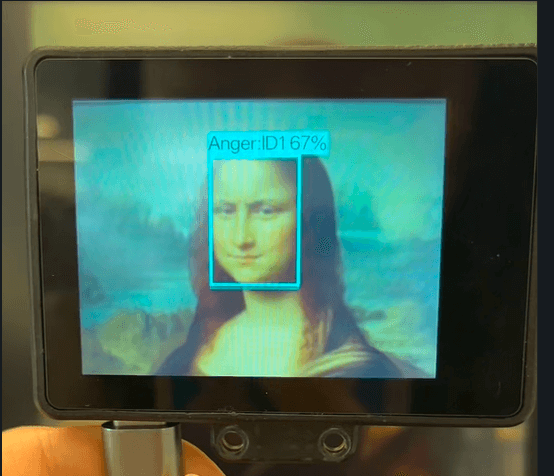
Interact with art: When HuskyLens 2 detects an emotional cue in the Mona Lisa’s face, the corresponding expression video clip is displayed, making the classic artwork respond in real time. This project demonstrates HuskyLens 2’s powerful onboard AI features and invites further exploration of its 20+ built-in AI models and custom deployment options.
In summary
HuskyLens 2 is more than an AI vision sensor – it’s a hands-on teaching tool and an inspiration engine for creative exploration.
Whether you’re an educator looking to make AI tangible for students or a student eager to dive into building real AI-powered projects, the HuskyLens 2 brings AI out of the abstract and into the classroom and makerspace – one Q&A at a time.